
Gears make the world go round! Today, we learn the coolest, most powerful keyboard shortcut in TinkerCAD.
Your Infographic Blueprint:
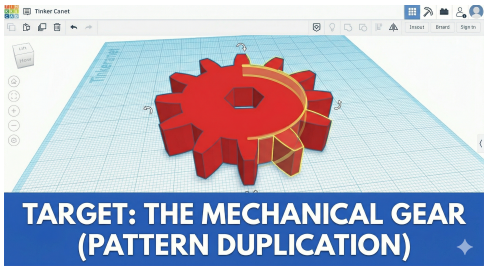
This image shows how the computer remembers a pattern to make all the red teeth on this mechanical gear perfectly even!
⚡️ TinkerCAD Hotkeys for today:
- Ctrl+D: (Duplicate and Repeat) The most important command. It copies a shape and remembers your exact pattern of turning and sliding.
- A: (Select all). Draw a big red box around everything or press Ctrl+A.
- R: (Rotate). Spin any shape using the curved arrows or type in an exact angle.
- M: (Mirror). Flip a shape backward or upside down with your mouse.
Step-by-Step Instructions:
As you start your lesson your workplane should look something like this
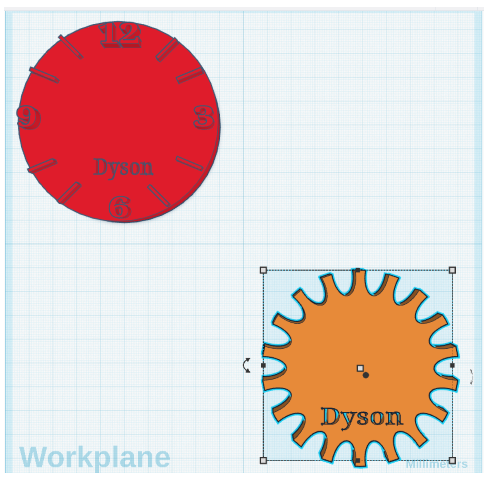
Now we are going to try and build the second gear mechanism – start by putting a cylinder in the bottom left corner which is 80mmx80mm and 6mm high
The First Tooth:
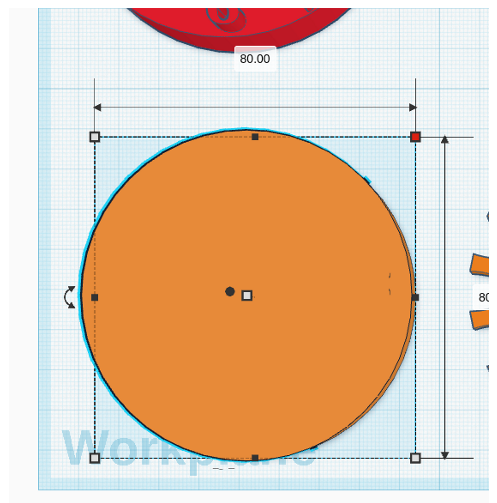
Drag out a smaller cylinder. Place it on the edge of your big cylinder. (Hold Shift while dragging to keep it aligned).
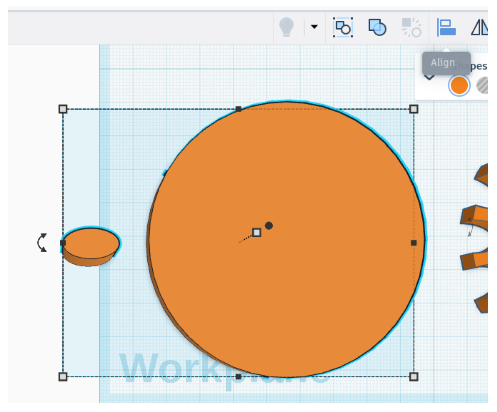
You can now use the align tool to ensure it’s in the middle of your circle
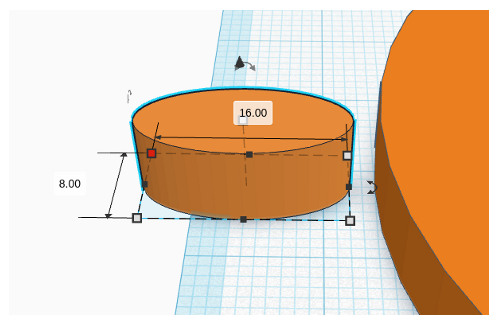
Duplicate! Click your tooth. Press Ctrl + D on your keyboard (Duplicate). Use the arrow keys to move your duplicate shape to the opposite side of your circle.
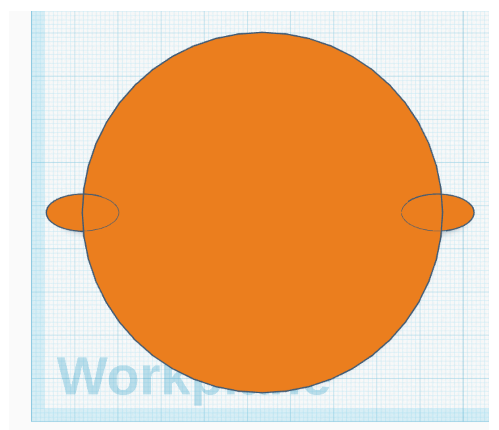
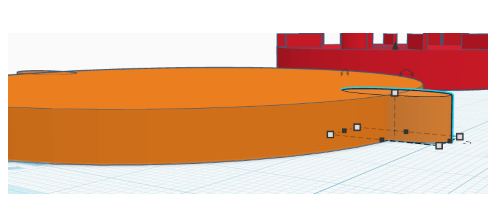
Now move the object around so you can see it from the side and again use the arrow keys to move the shape until you can see the dotted line lined up with the side of your shape. (Do this to both sides)
Select both smaller shapes by clicking on one and holding shift as you click the second one
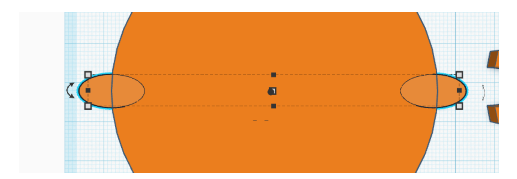
Now click ctrl d and use the arrows in the middle to turn the increments by 20 degrees
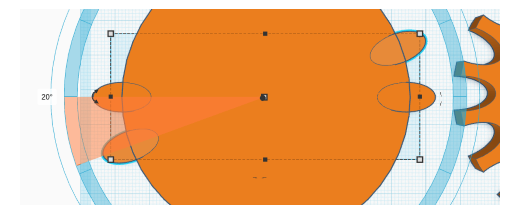
You can keep pressing ctrl-d until they go all around the outside
Then select all of them
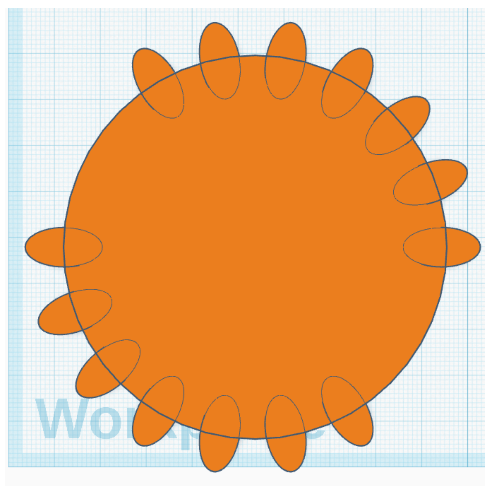
and merge it
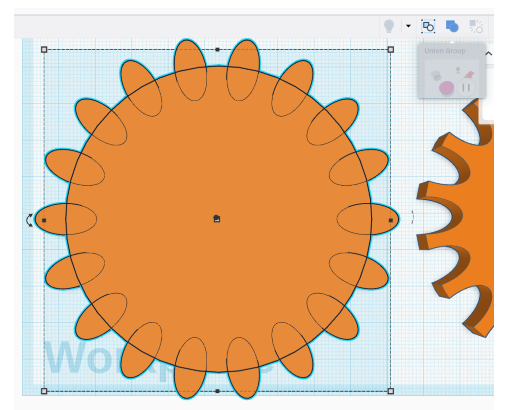
It should now look like this:
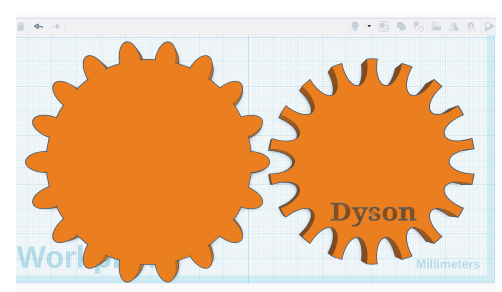
Don’t forget to add your name near the edge – it needs to be a hole set into the cog like this.
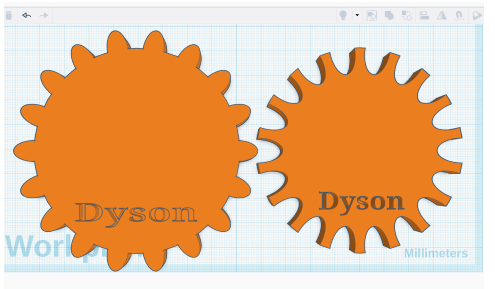
This will let us know whose model is whose later.
Comments are closed, but trackbacks and pingbacks are open.